
How to Create a Subdomain on Your cPanel Hosting Account
A subdomain allows you to create a separate section of your website under your main domain name. For example, if your main domain is example.com, you can create subdomains such as blog.example.com, shop.example.com, or support.example.com. Each subdomain can also have its own folder and website content inside your cPanel hosting account.
Follow the steps in this article to create a subdomain on your cPanel hosting account.
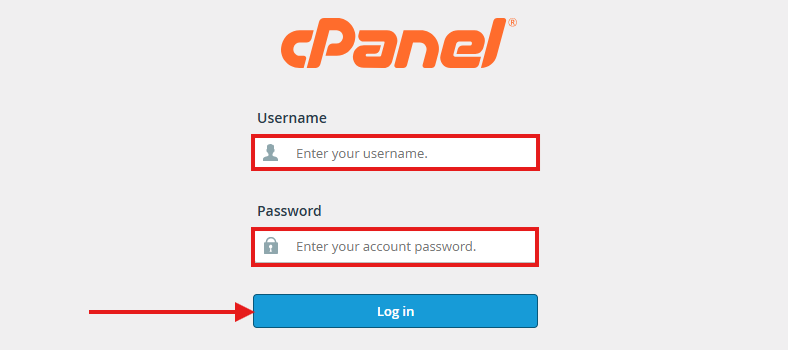
1. Log in to your cPanel account.
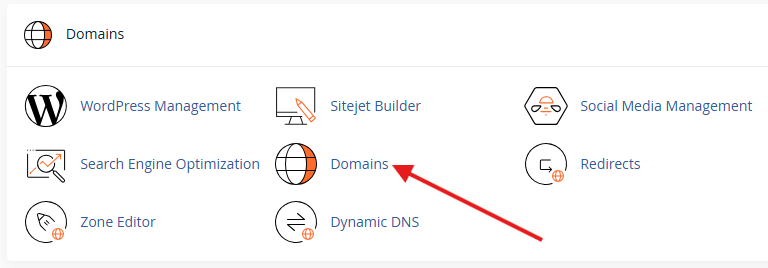
2. Under the "Domains" section, click on "Domains".
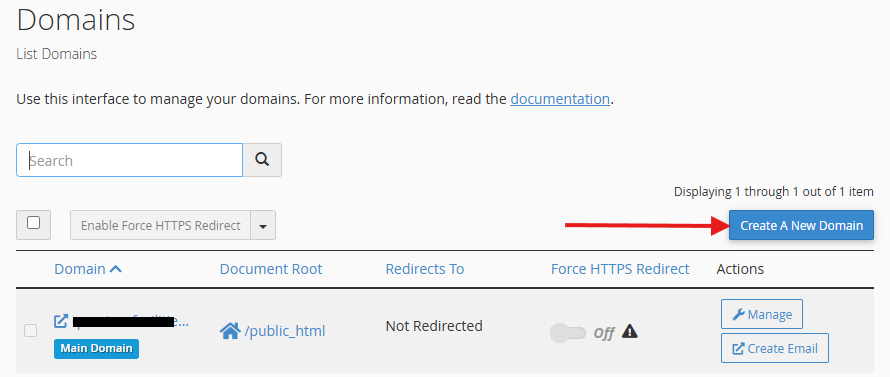
3. Click on the "Create A New Domain" button.
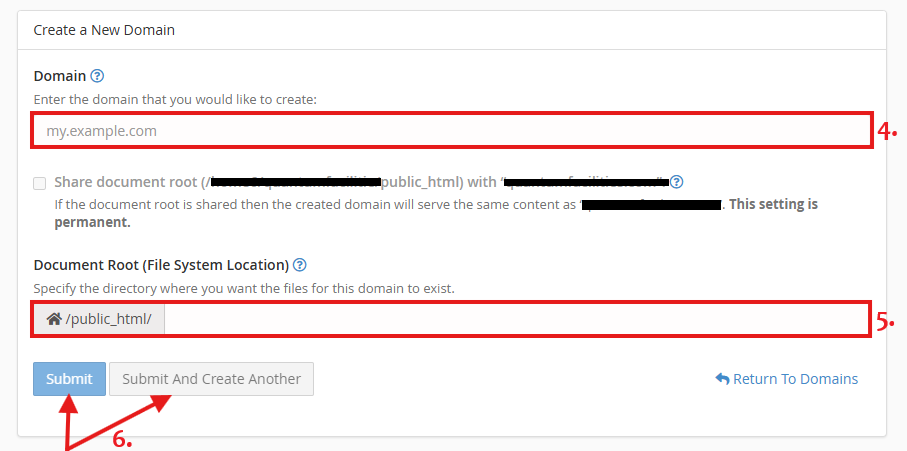
4. Enter the subdomain name you want to create in the "Domain" field.
Example: blog.yourdomain.com
5. By default, cPanel may automatically create a document root (folder) for the subdomain.
Example:
- Subdomain: blog.yourdomain.com
- Folder Path: /public_html/blog
If you want the subdomain to use a different folder, you can edit the document root path before creating it.
6. Click on the "Submit" or "Submit And Create Another" button to create the subdomain.
7. Once created successfully, the subdomain will appear in your domains list.


