How to Reset a Forgotten Password on Cybercloudhost
If you have forgotten your account password, you can easily reset it using the password recovery feature.
Follow the steps in this article to reset your account password.
Method A: Reset Password from the Login Page
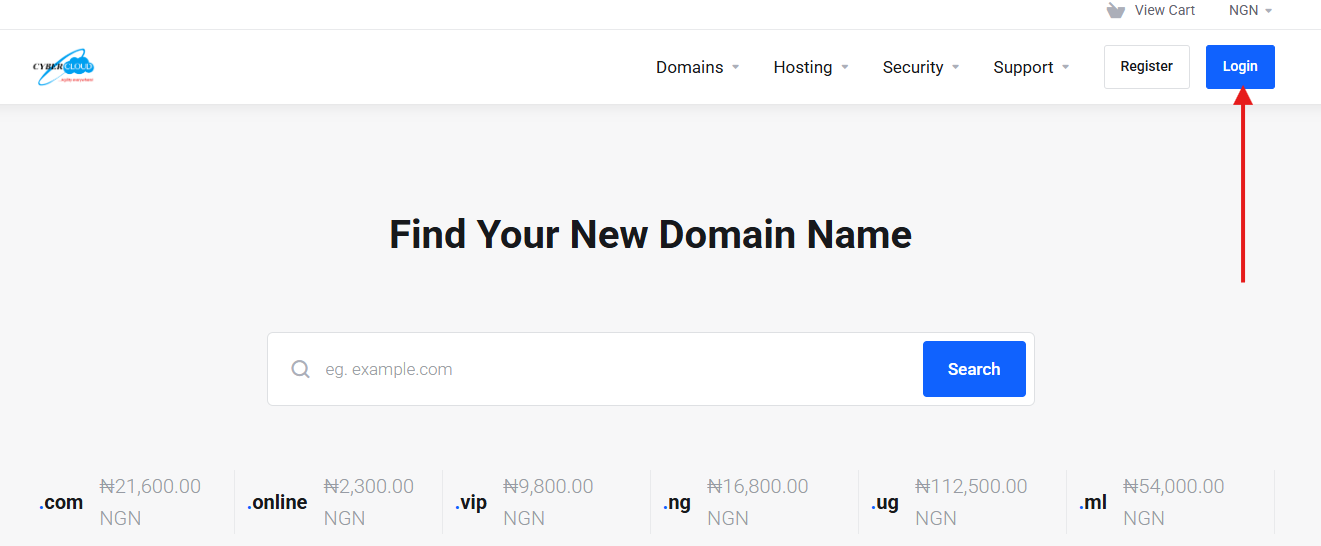
1. Visit the Cybercloudhost website and click on the “Login” button.
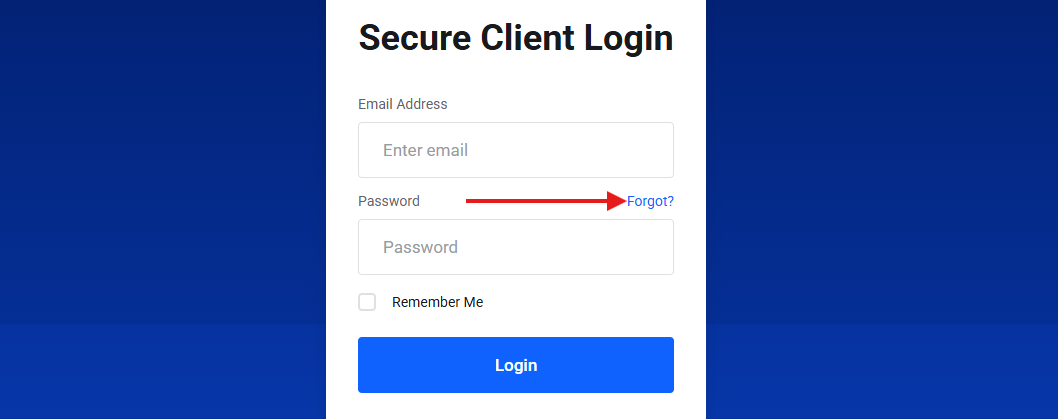
2. Click on the “Forgot?” link.
OR
Method B: Reset Password from the Registration Page
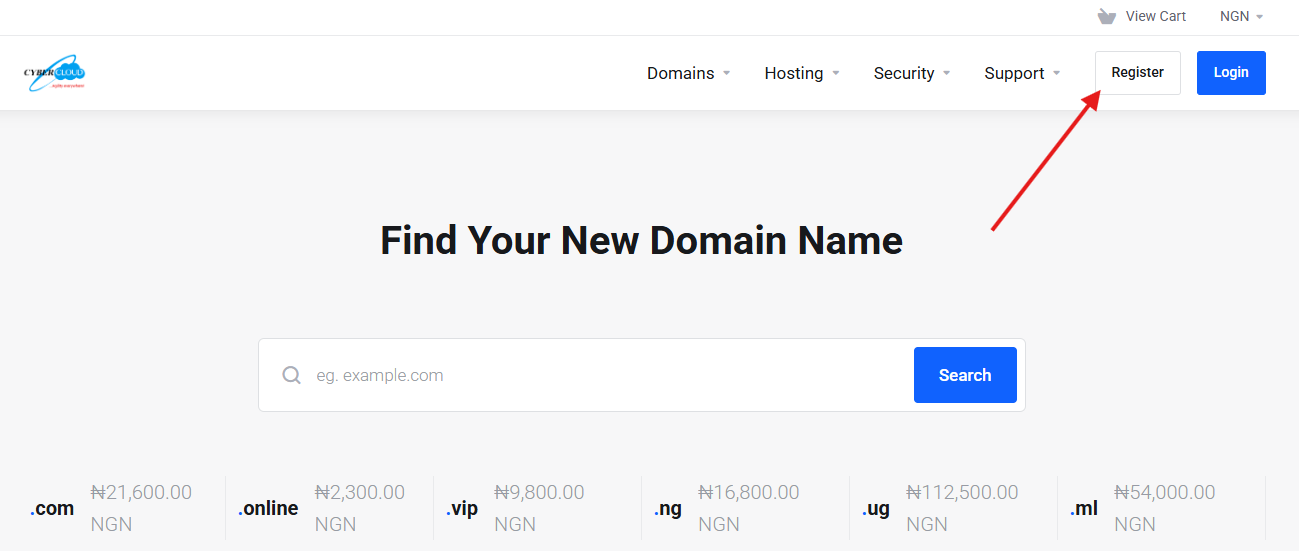
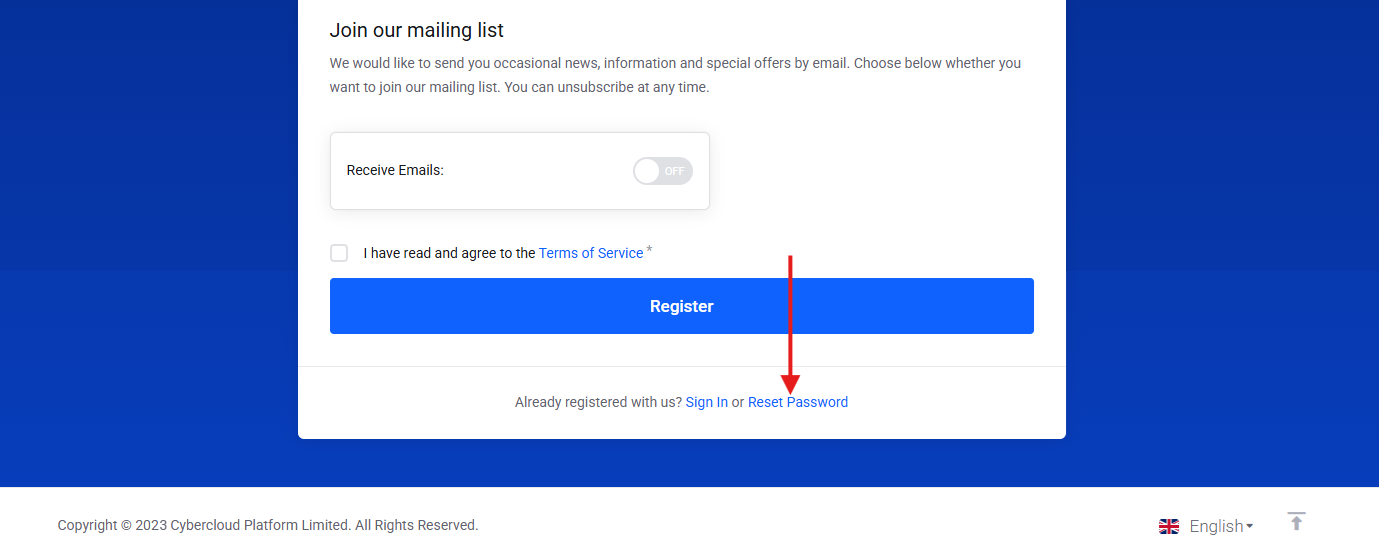
1. Visit our website at Cybercloudhost and click on the “Register” button.
2. Scroll to the bottom of the page and click on “Reset Password”.
Continue with the steps below for either method:
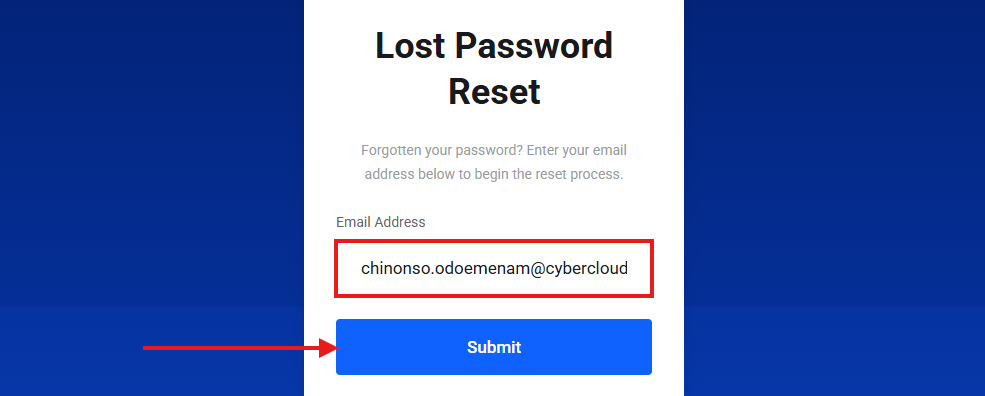
3. Enter your registered email address in the “Email Address” field and click “Submit” button.
4. If the email address is associated with an active account, a password reset email will be sent to your registered email address.
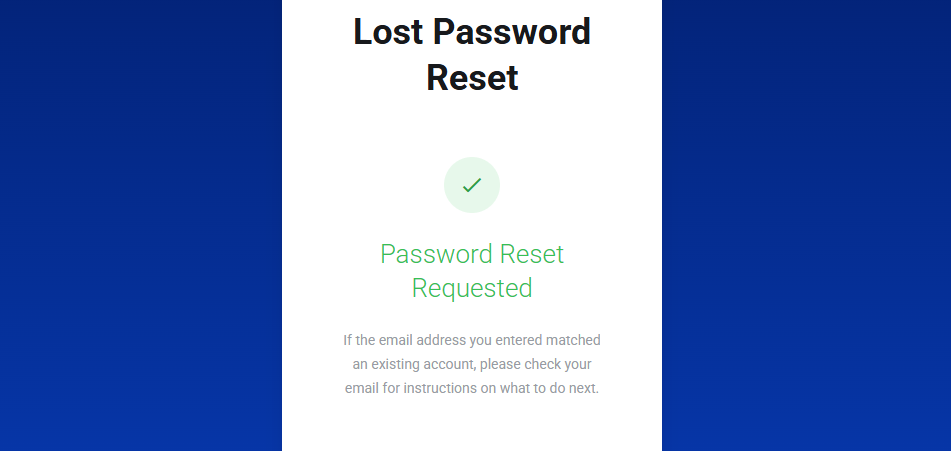
5. If you do not receive the email in your inbox, kindly check your Spam or Junk folder.
6. Open the password reset email and follow the instructions provided.
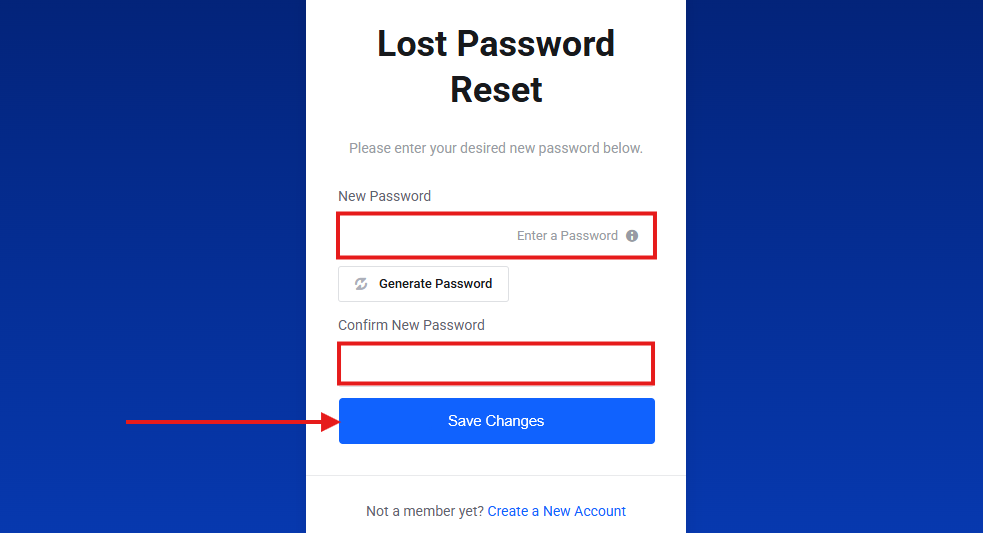
7. Enter your new password in the “New Password” field, then re-enter it in the “Confirm New Password” field and click “Save Changes” button.
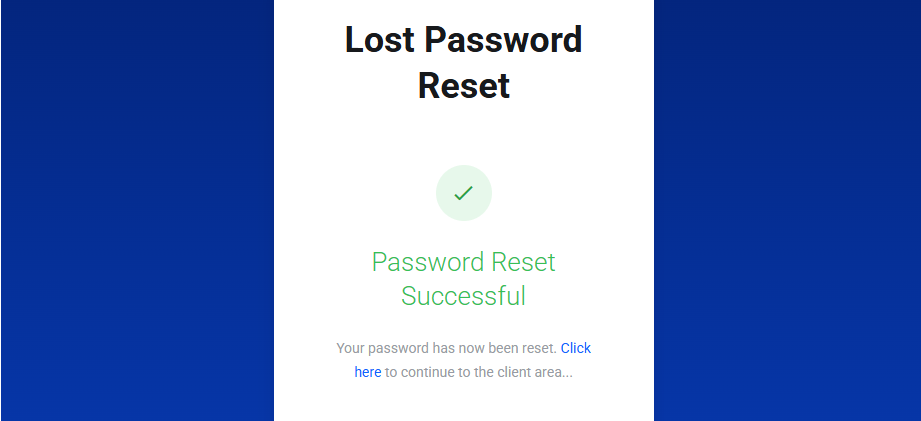
8. A Password Reset Successful confirmation page will be displayed. You can now log in to your account using your new password.