
How to Log In to Your Cybercloudhost Account
Logging in to your Cybercloudhost account allows you to access your client area, manage your services, view invoices, submit support tickets, and perform other account-related activities securely.
Follow the steps below to successfully log in to your Cybercloudhost account.
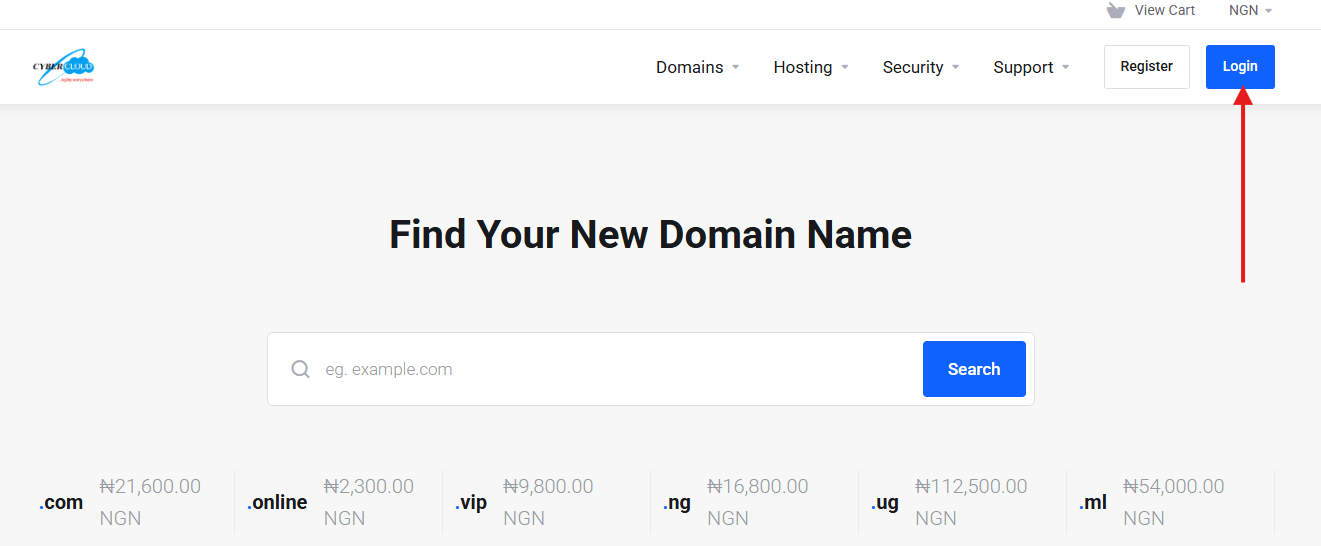
1. Visit the Cybercloudhost website and click on the "Login" button.
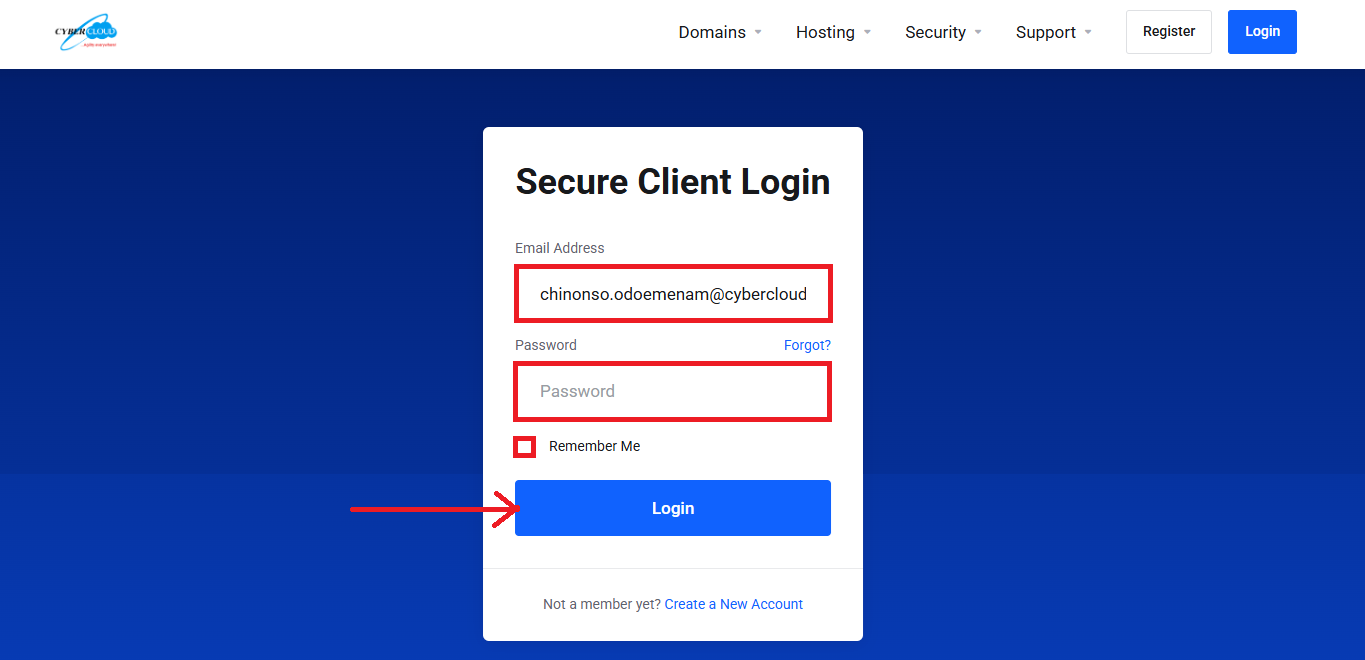
2. Enter your registered email address and password in the login fields provided. If you want your login session to be remembered on your device, select the "Remember Me" checkbox (optional) then click on the "Login" button to proceed.
3. Once your login credentials are entered correctly, you will be successfully logged in to your account dashboard, where you can manage your services and account activities.


