How to Register an Account on Cybercloudhost
Creating an account on Cybercloudhost gives you access to manage your services, place orders, manage billing, open support tickets, and access all products and features available on the platform.
Follow the steps below to successfully create and verify your account on Cybercloudhost.
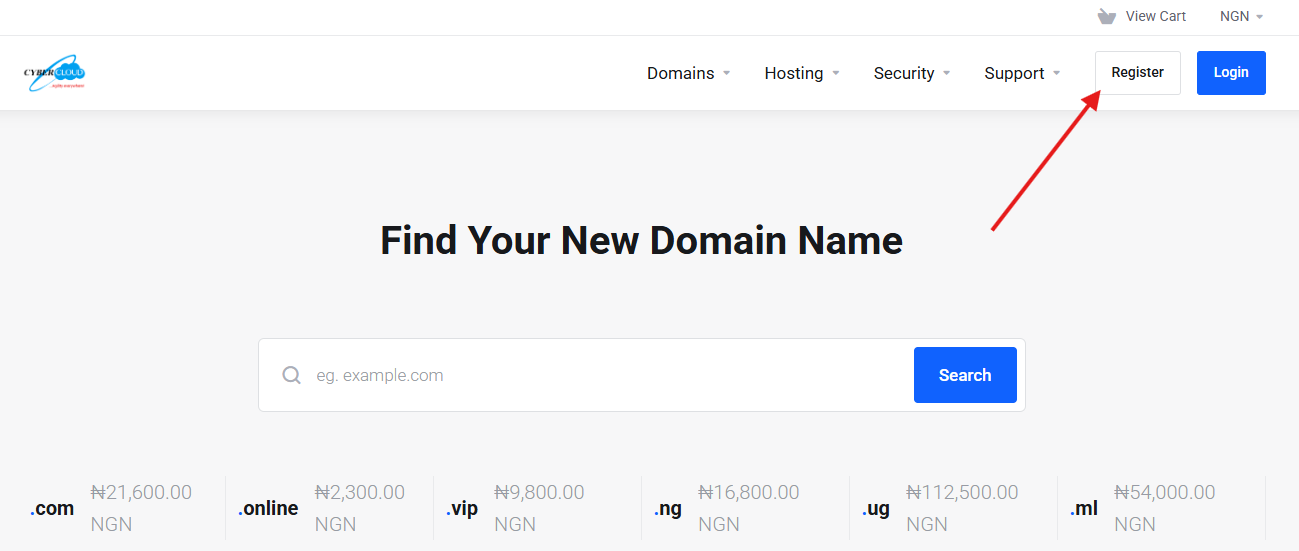
1. Visit our website at Cybercloudhost and click on the "Register" button.
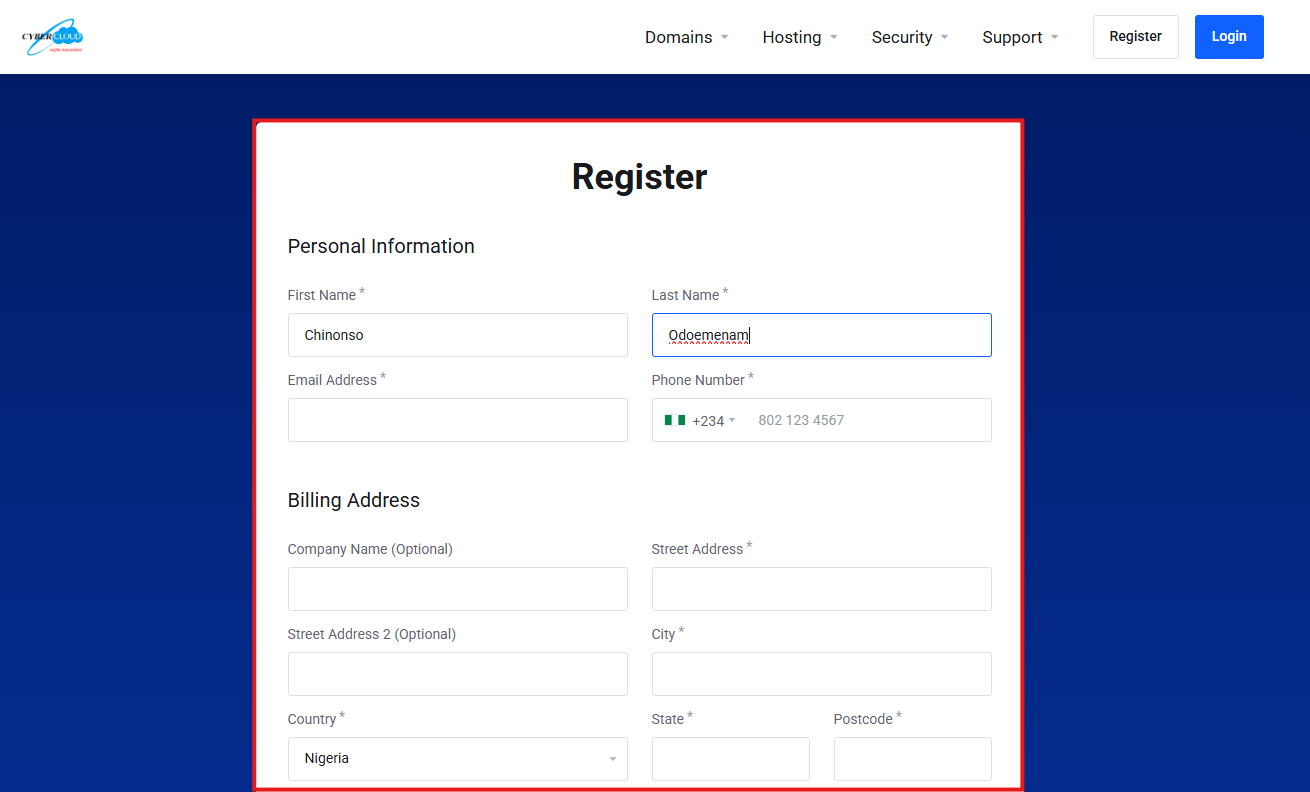
2. Fill in personal information and billing details in the registration form.
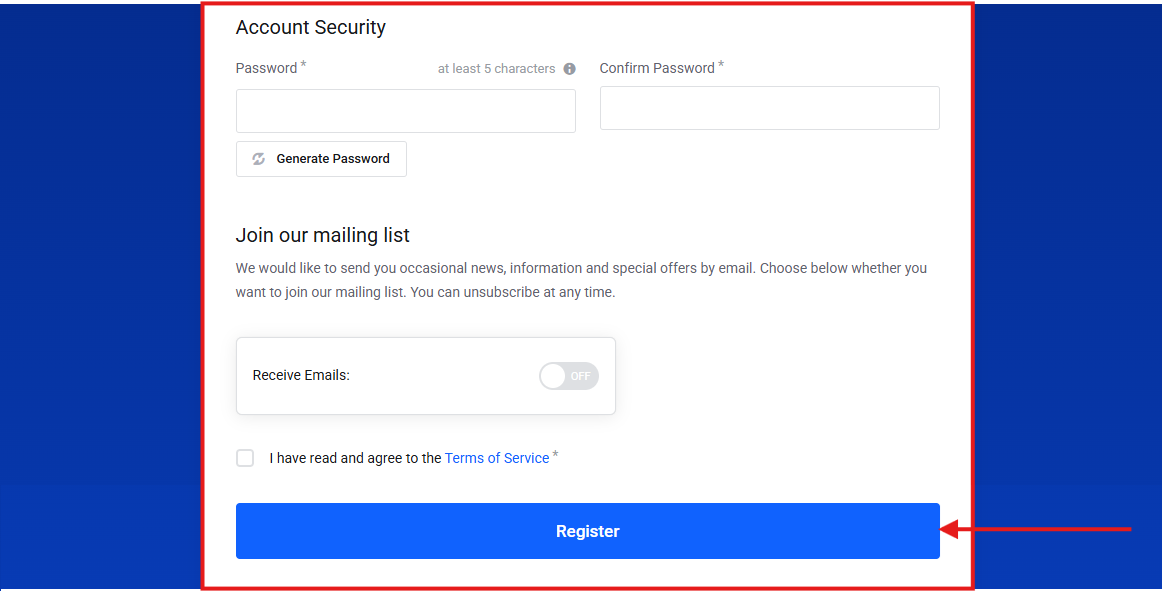
3. Continue filling the same form by setting up your account security details, optionally subscribing to the mailing list, and accepting the Terms and Conditions before clicking the "Register" button.
4. Once all required information has been entered correctly, your account will be created successfully, and you can log in using your registered email address and password.
5. A verification email containing an email verification link or code will be sent to your registered email address. Log in to your email account, locate the verification message sent by us, and follow the instructions provided to verify your email address.
6. If you do not find the email in your inbox, kindly check your Spam or Junk folder.
Alternative Method
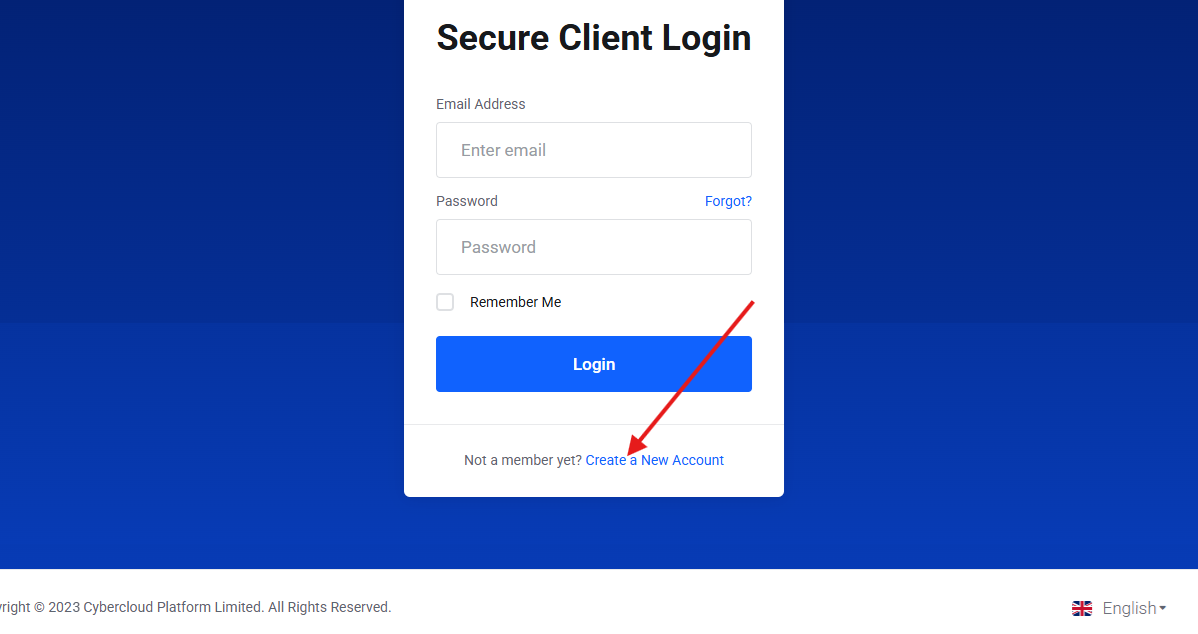
An account can also be created via the “Login” button next to the “Register” button. Instead of entering login details, click the “Create a New Account” link to begin registration.